
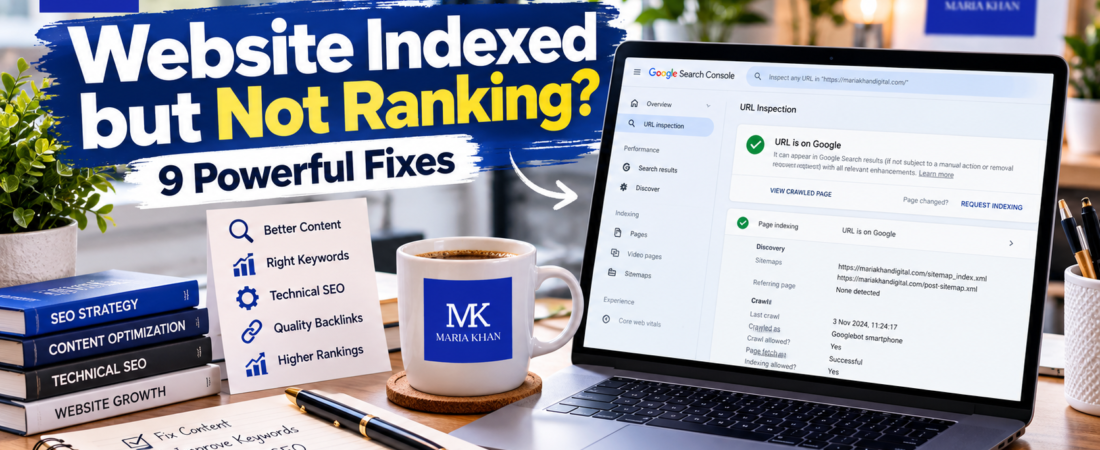
Your website is indexed but not ranking on Google. You have published content, optimized your pages, and submitted your URLs through Google Search Console. Yet your website receives very little organic traffic.
This is a common challenge, especially for new websites.
Google indexing simply means that Google has processed a webpage and added it to its search index. It does not mean the page will automatically appear on the first page of search results.
If your website is indexed but not ranking, the problem may involve search intent, keyword competition, content quality, technical SEO, internal linking, or limited website authority.
In this guide, you’ll learn nine practical ways to identify ranking problems and improve your website’s organic search visibility.
Why Is Your Website Indexed but Not Ranking?
If your website indexed but not ranking problem continues, start by reviewing your Google Search Console performance data. Check which queries generate impressions, whether your pages match search intent, and how your content compares with competing results.
When Google indexes your website, its systems can consider your pages for relevant search queries.
However, ranking depends on how well your content answers users’ questions compared with other available results.
A website may be indexed but not ranking because:
- Its content targets highly competitive keywords.
- The page doesn’t match the user’s search intent.
- Important technical SEO issues remain unresolved.
- The article lacks original information or practical examples.
- Internal links are missing or poorly structured.
- Competing pages offer more useful information.
The first step is understanding which of these issues applies to your website.
1. Check Your Website’s Indexing Status in Google Search Console
Before improving rankings, verify that Google has indexed the correct page.
Open Google Search Console and inspect the exact URL.
Follow these steps:
- Select your website property.
- Open the URL Inspection tool.
- Enter the complete URL.
- Review the indexing status.
- Check the Google-selected canonical URL.
If the tool displays “URL is on Google,” the page is indexed.
If it isn’t indexed, investigate the reported issue before making ranking-related changes.
You can also use the Performance report to identify the keywords generating impressions and clicks.
Practical tip: A page receiving impressions is already appearing in some Google Search results, even if it doesn’t rank for your preferred keyword.
2. Fix Search Intent When Your Website Is Indexed but Not Ranking
Search intent is one of the most important factors to consider when optimizing content.
It describes what someone wants to accomplish when searching for a keyword.
For example, someone searching for “how to perform a technical SEO audit” expects a practical guide.
If your article only describes the benefits of hiring an SEO specialist, it may not satisfy that search.
How to improve search intent
Analyze the first-page results for your target keyword.
Look for common questions, content formats, and topics.
Then create content that answers the searcher’s question directly.
Include clear instructions, useful examples, screenshots, and relevant supporting information.
Avoid copying competitors. Focus on adding value through your own expertise.
3. Target Relevant Long-Tail Keywords
A website indexed but not ranking may be targeting keywords that are too competitive.
Broad keywords such as “SEO services” or “digital marketing” can be difficult for newer websites.
Long-tail keywords are often more specific and can help you reach a clearly defined audience.
For example, instead of targeting only “SEO,” consider:
- SEO tips for new WordPress websites
- Why blog posts are indexed but not ranking
- How to improve Google rankings for a small business
- Technical SEO checklist for beginners
Use Google Search Console, Ahrefs, Semrush, or Ubersuggest to research relevant queries.
Choose keywords based on search intent, relevance, and the usefulness of the content you can provide.
4. Improve On-Page SEO for Better Search Visibility
A website indexed but not ranking for its target keywords may need stronger on-page optimization. Improve your page title, organize your headings, strengthen internal links, and ensure your content answers the questions visitors are searching for.
On-page SEO helps search engines understand your website’s content and structure.
A page may be indexed but not ranking well because its title, headings, or content do not clearly address the target topic.
Essential on-page SEO improvements
SEO title: Include the primary keyword naturally and communicate the article’s main benefit.
Meta description: Write a compelling summary that encourages relevant users to visit your page.
H1 heading: Use one clear main heading describing the article.
H2 and H3 headings: Organize information into logical sections that readers can navigate easily.
Image optimization: Compress large images and use descriptive alt text.
Internal linking: Connect related pages using relevant anchor text.
Content quality: Explain concepts clearly and support recommendations with useful examples.
If you’re using WordPress, Rank Math can help identify missing SEO elements.
However, remember that Rank Math’s score is an optimization checklist, not a Google ranking guarantee.
5. Build Strong Internal Links Between Related Articles
Internal linking is essential for helping visitors and search engines discover relevant content.
When a website has multiple blog posts but very few internal links, its content structure may be difficult to navigate.
For example, an article about indexing problems could link to a related guide about website audits.
You can also link to your relevant service pages.
For professional SEO assistance, explore my SEO services.
When adding internal links, use descriptive anchor text and ensure the destination pages are live.
Avoid inserting irrelevant links simply to satisfy an SEO plugin recommendation.
6. Publish Original and Helpful Content
One reason a website is indexed but not ranking is that its content provides limited additional value.
Search engines aim to present useful, relevant information.
If your article repeats generic advice without practical detail, it may struggle to compete.
How to create more valuable SEO content
Use your actual experience to explain problems and solutions.
For example, when discussing Google Search Console, demonstrate how to identify pages with high impressions and low clicks.
You can also include:
- Original screenshots and walkthroughs
- Real examples from SEO audits
- Detailed optimization checklists
- Common mistakes and their solutions
- Verified case studies and performance observations
Google’s official helpful content guidance explains why creating reliable, people-first content matters.
Originality is about offering useful insight, not simply rewriting existing articles with different wording.
7. Identify Technical SEO Problems
Technical SEO issues can affect crawling, website usability, and search performance.
Even indexed pages may have problems that deserve attention.
Common examples include:
- Slow-loading pages
- Broken internal links
- Incorrect canonical tags
- Poor mobile usability
- Unnecessarily large images
- Confusing website navigation
How to audit technical SEO
Start with Google PageSpeed Insights to review performance recommendations.
Check your website on desktop and mobile devices.
Use Google Search Console to investigate indexing and crawling issues.
For WordPress websites, review caching, image compression, and unnecessary plugins.
Google also provides an official SEO Starter Guide explaining fundamental search optimization practices.
Technical improvements support your overall SEO strategy, but speed alone will not guarantee high rankings.
8. Earn Relevant, High-Quality Backlinks
Backlinks are links from other websites pointing to your pages.
They can support content discovery and contribute to a website’s visibility.
However, backlink quality, relevance, and editorial context are more important than collecting links indiscriminately.
Sustainable link-building methods
Create useful resources that other websites may want to reference.
Consider publishing detailed tutorials, original research, practical checklists, and educational guides.
Relevant guest contributions and personalized outreach may also create opportunities when they provide genuine editorial value.
Avoid automated link spam, paid links intended to manipulate rankings, and unrelated backlink placements.
A sustainable off-page SEO strategy should focus on trust, relevance, and useful relationships.
9. Monitor Search Console Performance and Improve Existing Content
A website indexed but not ranking for its target keywords may need stronger on-page optimization. Improve your page title, organize your headings, strengthen internal links, and ensure your content answers the questions visitors are searching for.
When your website is indexed but not ranking, use actual performance data to decide what needs improvement.
Google Search Console provides several useful metrics.
| Metric | What it tells you |
|---|---|
| Impressions | How often your pages appeared in search results |
| Clicks | How many visits came from Google Search results |
| CTR | Percentage of impressions resulting in clicks |
| Average position | Average ranking position across recorded impressions |
Look for pages receiving impressions but few clicks.
Review their target queries, search intent, titles, and ranking positions.
You may discover that a page is ranking for unexpected keywords or attracting impressions from queries it doesn’t fully address.
Update the content where improvements would genuinely help users.
Don’t repeatedly rewrite articles without evidence that changes are needed.
How Long Does It Take for an Indexed Website to Rank?
There is no guaranteed timeline for Google rankings.
Some pages gain impressions soon after indexing, while others take weeks or months to develop meaningful visibility.
Ranking depends on factors such as competition, content relevance, website quality, and search demand.
Instead of requesting indexing every day, concentrate on improving the content and monitoring its performance.
A consistent SEO strategy is more useful than expecting immediate results from every new article.
Frequently Asked Questions
Why is my website indexed but not ranking on Google?
Your content may not match search intent, your target keywords may be too competitive, or your website may need improvements in content quality, internal linking, or technical SEO.
Can a website be indexed without getting traffic?
Yes. An indexed website may receive no organic traffic if it ranks too low, targets queries with limited demand, or does not attract clicks.
Does requesting indexing improve rankings?
No. Requesting indexing asks Google to crawl or reconsider a URL. It does not directly improve search rankings.
Can Rank Math improve my Google ranking?
Rank Math helps optimize technical and on-page SEO elements, but achieving a high plugin score does not guarantee ranking improvements.
Should I publish more blogs if my website is not ranking?
Publish new articles when they address useful topics that your website does not already cover. Also improve existing articles with weak content, outdated information, or poor search intent alignment.
Final Thoughts
If your website
indexed but not ranking, don’t assume that Google has ignored your content.
Indexing is only one part of search visibility.
Review your keyword strategy, improve search intent alignment, strengthen internal links, and address technical issues.
Most importantly, publish helpful content supported by genuine experience and useful examples.
Looking for practical SEO support?
Visit Maria Khan Digital to explore SEO content optimization, technical website improvements, and digital outreach services.