
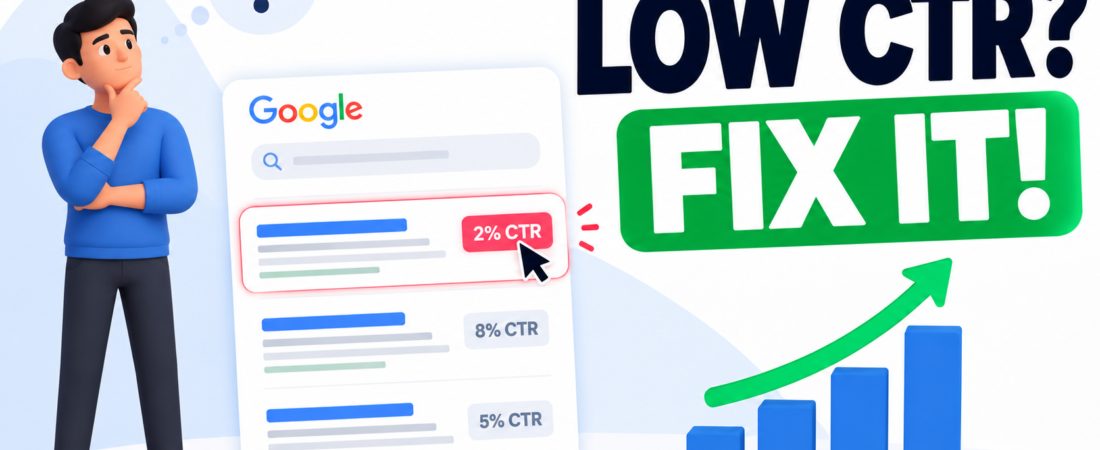
Does your website appear in Google search results but receive very few clicks? If so, your organic click-through rate could be an area worth investigating.
You might already have indexed pages, useful content, and relevant keywords, yet struggle to attract visitors from search results. In some cases, the problem is that your page title or description doesn’t communicate enough value to encourage people to click.
Learning how to improve organic CTR can help you identify opportunities to make your search listings more relevant and appealing to your target audience.
In this guide, you’ll learn how to measure organic click-through rate, identify underperforming pages, improve SEO titles and meta descriptions, and use Google Search Console to evaluate your results.
What Is Organic Click-Through Rate (CTR)?
Organic click-through rate is the percentage of organic search impressions that result in clicks.
For example, suppose your website receives 1,000 impressions in Google search results and 50 clicks.
Your organic CTR would be:
CTR = (Clicks ÷ Impressions) × 100
In this example:
(50 ÷ 1,000) × 100 = 5% CTR
A higher CTR means a larger proportion of recorded impressions resulted in clicks. However, CTR alone doesn’t tell you whether a page is successful. You should also consider the search queries, average position, audience relevance, and business value of the traffic.
Why Is Your Organic CTR Low?
Several factors can contribute to a low organic click-through rate.
Your page might rank for queries that don’t match its content, or its title might not clearly explain what visitors will find.
Other possible reasons include:
- Your page appears lower in search results.
- Your SEO title is vague or unappealing.
- Your meta description doesn’t communicate the page’s value.
- Your content targets the wrong search intent.
- Competing search listings appear more relevant.
- Google displays different title or snippet text.
- Search features answer users’ questions without requiring a click.
Before changing your content, identify which pages and queries are responsible for the problem.
1. Find Underperforming Pages in Google Search Console
The first step in improving organic CTR is to identify pages that receive impressions but attract relatively few clicks.
Google Search Console provides performance data that can help you investigate this issue.
How to find pages with low CTR
Follow these steps:
- Open Google Search Console.
- Select your website property.
- Open the Performance report and select Search results.
- Enable Total clicks, Total impressions, Average CTR, and Average position.
- Open the Pages tab to review individual URLs.
- Select a page and examine the queries associated with it.
Look for pages that receive meaningful impressions but have a lower CTR than you might reasonably expect for their search positions and queries.
Don’t automatically assume that every page with a low CTR needs a new title. A page ranking near the bottom of the first page will generally have a different click opportunity from a page ranking near the top.
Compare similar queries and positions where possible.
For more guidance, consult Google’s documentation on the Search Console Performance report.
2. Write Clearer and More Compelling SEO Titles
Your SEO title helps users understand what a page offers before they visit it.
A vague title may fail to communicate the page’s purpose, while a clear and specific title can help the right audience recognise its relevance.
For example:
Less descriptive: SEO Tips
More descriptive: How to Improve Organic CTR: 7 Proven Ways
The second title communicates the topic and gives readers a clearer idea of what to expect.
How to improve your SEO titles
Use these practical guidelines:
- Describe the page accurately.
- Include your primary keyword naturally.
- Communicate the main benefit of reading the article.
- Keep the wording specific and easy to understand.
- Avoid unnecessary repetition.
- Make sure the title matches the actual content.
You can edit the SEO title using Rank Math in WordPress.
Remember that Google may generate a different title link based on your page content, headings, and other signals. Writing an SEO title does not guarantee that Google will display it exactly as entered.
3. Improve Your Meta Descriptions
A meta description summarises a page’s content and may appear beneath its title in search results.
Although meta descriptions are not a direct Google ranking factor, a relevant and informative description can help users understand whether a page answers their question.
For example, a weak description might simply say:
“Read our article about SEO and learn more about digital marketing.”
A more informative version could be:
“Learn how to improve organic CTR with practical tips for SEO titles, meta descriptions, search intent, and Google Search Console analysis.”
The second version communicates the topic and identifies what the reader will learn.
Best practices for meta descriptions
Summarise the page accurately. Tell readers what the article actually covers.
Include the primary keyword naturally. Use it when it fits the description.
Highlight useful information. Explain the practical benefit of visiting the page.
Avoid misleading promises. Don’t claim guaranteed rankings or results.
Write unique descriptions. Important pages should have descriptions suited to their individual content.
You can manage meta descriptions through Rank Math’s SEO settings in WordPress.
Google may generate a different search snippet when it considers other page content more useful for a particular query.
4. Match Your Content to Search Intent
A page may receive impressions but attract few clicks when its title and content do not match what searchers want.
Search intent refers to the purpose behind a search query.
For example, someone searching for “how to improve organic CTR” probably wants practical instructions. A page that focuses entirely on selling SEO services may not satisfy that expectation.
To improve alignment:
- Identify the main question behind the keyword.
- Examine the current Google search results.
- Determine whether users expect a tutorial, comparison, service page, or another format.
- Make your title reflect the actual content.
- Ensure the introduction answers the main question promptly.
For example, an article about improving organic CTR should explain how to measure CTR, diagnose problems, and optimise search listings.
If the page doesn’t provide what the title promises, changing the title alone won’t solve the underlying problem.
5. Target Relevant Queries Instead of Chasing CTR Alone
A high CTR is not always better if the visitors arriving at your website are looking for something you don’t provide.
Imagine two pages:
- Page A attracts 100 clicks from people searching for information relevant to your services.
- Page B attracts 200 clicks from people looking for unrelated information.
Page B receives more traffic, but Page A may attract a more relevant audience.
That’s why you should analyse CTR alongside impressions, clicks, search queries, and business goals.
Use Google Search Console to identify the queries that generate impressions for each important page.
If a page appears for unrelated searches, review its content and determine whether it clearly communicates the topic it covers.
You may need to improve the page’s relevance, refine its focus, or create separate content for genuinely different search intents.
Avoid adding unrelated keywords simply to attract more impressions.
6. Make Your Content More Useful and Up to Date
Your SEO title and meta description help set expectations, but the content itself must deliver value.
If visitors arrive and discover outdated instructions, incomplete explanations, or information that doesn’t answer their questions, the page may fail to achieve its purpose.
Review important articles regularly and look for opportunities to improve them.
For example:
- Replace outdated instructions with accurate information.
- Add examples that explain difficult concepts.
- Remove unnecessary repetition.
- Improve heading structure.
- Answer common questions clearly.
- Link to relevant supporting resources.
When updating an article, make changes that genuinely improve its usefulness rather than changing the publication date without meaningful revisions.
You can also review Google’s guidance on creating helpful, reliable, people-first content.
7. Test Changes and Measure the Results
After improving a title, meta description, or page content, monitor the results rather than assuming the change worked.
Use Google Search Console to compare performance before and after your updates.
Track:
- Total impressions
- Total clicks
- Organic CTR
- Average search position
- Search queries
- The page’s relevance to your target audience
Whenever possible, compare similar time periods and account for changes in search demand, seasonality, and average position.
Avoid changing several major elements simultaneously if you want to understand which change may have contributed to the result.
Allow enough time to collect useful data. Small changes in CTR can occur because of normal fluctuations, so don’t draw conclusions from a handful of impressions.
An example of CTR improvement
Suppose a page receives 2,000 impressions and 40 clicks.
Its CTR is 2%.
After you improve the title and description, the page receives 2,000 impressions and 60 clicks.
Its CTR is now 3%.
That’s an increase of one percentage point, or a 50% relative increase in CTR.
This example illustrates the calculation; it is not a prediction of the results your website will achieve.
Common Organic CTR Mistakes to Avoid
Changing titles without checking search intent
A more compelling title won’t solve a problem if the page does not answer the searcher’s question.
Making misleading promises
Titles that promise guaranteed rankings or unrealistic results can damage trust and attract the wrong visitors.
Assuming every page needs a higher CTR
Different queries, positions, and search features naturally produce different click-through rates.
Ignoring average search position
A page ranking lower in search results may have a different CTR opportunity from one ranking near the top.
Making too many changes at once
If you change titles, descriptions, content, and page structure simultaneously, it becomes harder to understand which changes influenced performance.
Conclusion
Improving organic click-through rate starts with understanding how your website performs in Google search results.
Use Google Search Console to identify underperforming pages, write accurate and informative SEO titles, improve meta descriptions, and make sure your content matches search intent.
Then monitor clicks, impressions, CTR, and average position to understand how your changes perform.
Remember that a higher CTR does not automatically guarantee higher rankings. Your goal should be to attract the right visitors with useful, relevant search listings and content that delivers on its promises.
If you need help analysing your website’s search performance, improving on-page SEO, or identifying optimisation opportunities, explore my SEO services.
Frequently Asked Questions
What is a good organic CTR for SEO?
There is no single CTR that is good for every website. CTR varies according to search position, query type, competition, and the features displayed on the results page.
Does organic CTR directly affect Google rankings?
Google has not established a simple rule that a higher organic CTR automatically produces higher rankings. Focus on relevance, useful content, and a good search experience rather than trying to manipulate clicks.
How can I check organic CTR?
Open the Performance report in Google Search Console, select Search results, and enable Total clicks, Total impressions, and Average CTR.
Do meta descriptions improve rankings?
Meta descriptions are not a direct Google ranking factor. However, accurate descriptions can help users understand what a page offers when Google chooses to display them.
How often should I optimise SEO titles?
Review titles when performance data indicates a meaningful opportunity, after substantial content changes, or when the existing title is inaccurate. Avoid repeatedly changing titles without enough data to evaluate the results.